Voxel Mode

Blender 4.2+ add-on · v1.0

Voxel art that rigs, animates and ships to a game engine.

Build voxel models inside Blender — then keep going. Rig them, animate them, and export straight to Godot, Unity or Unreal without ever leaving the file.

A free build with the core modelling tools is coming to extensions.blender.org.

  • 1024³ grids
  • 1,001 shapes
  • .vox in and out
  • GPL-3.0
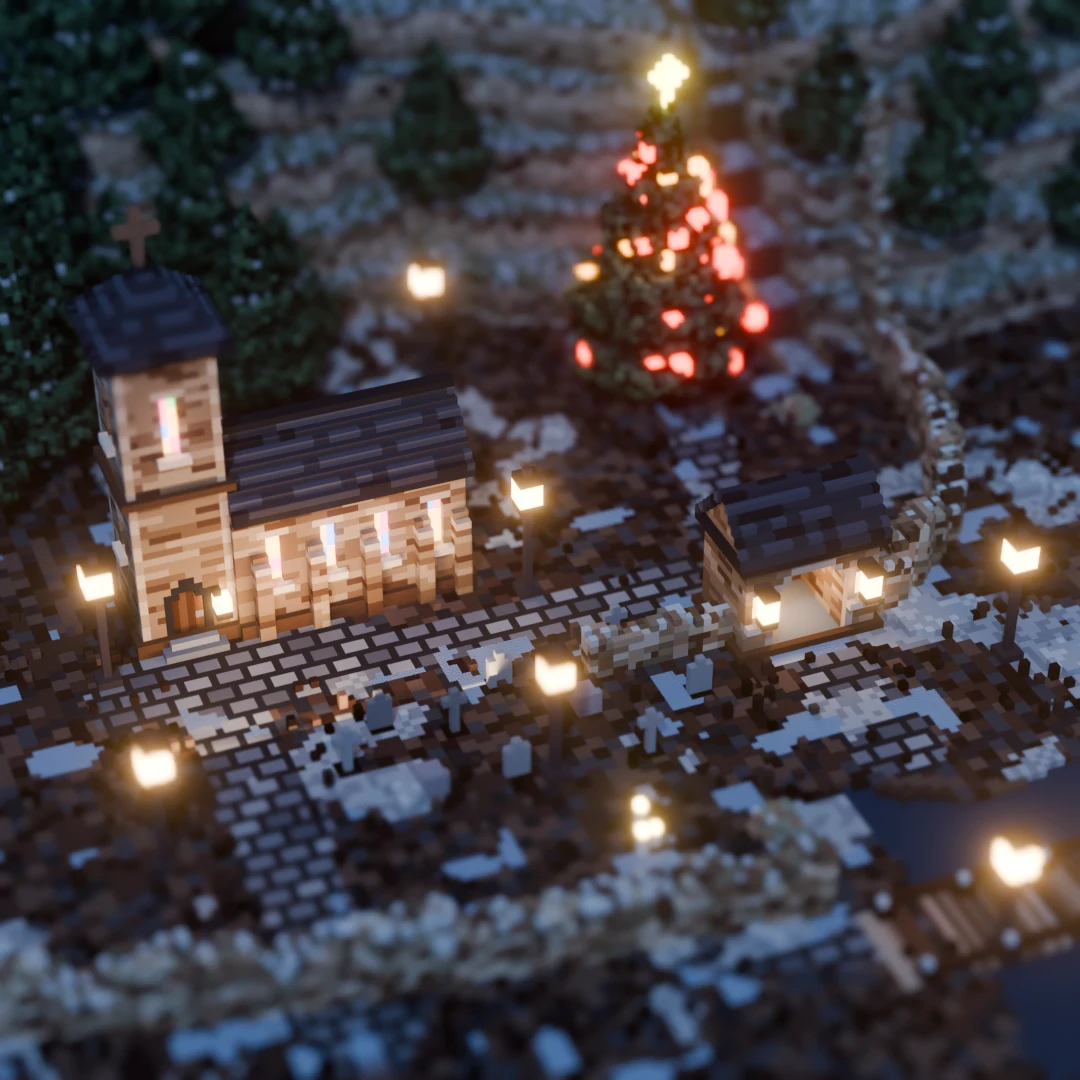
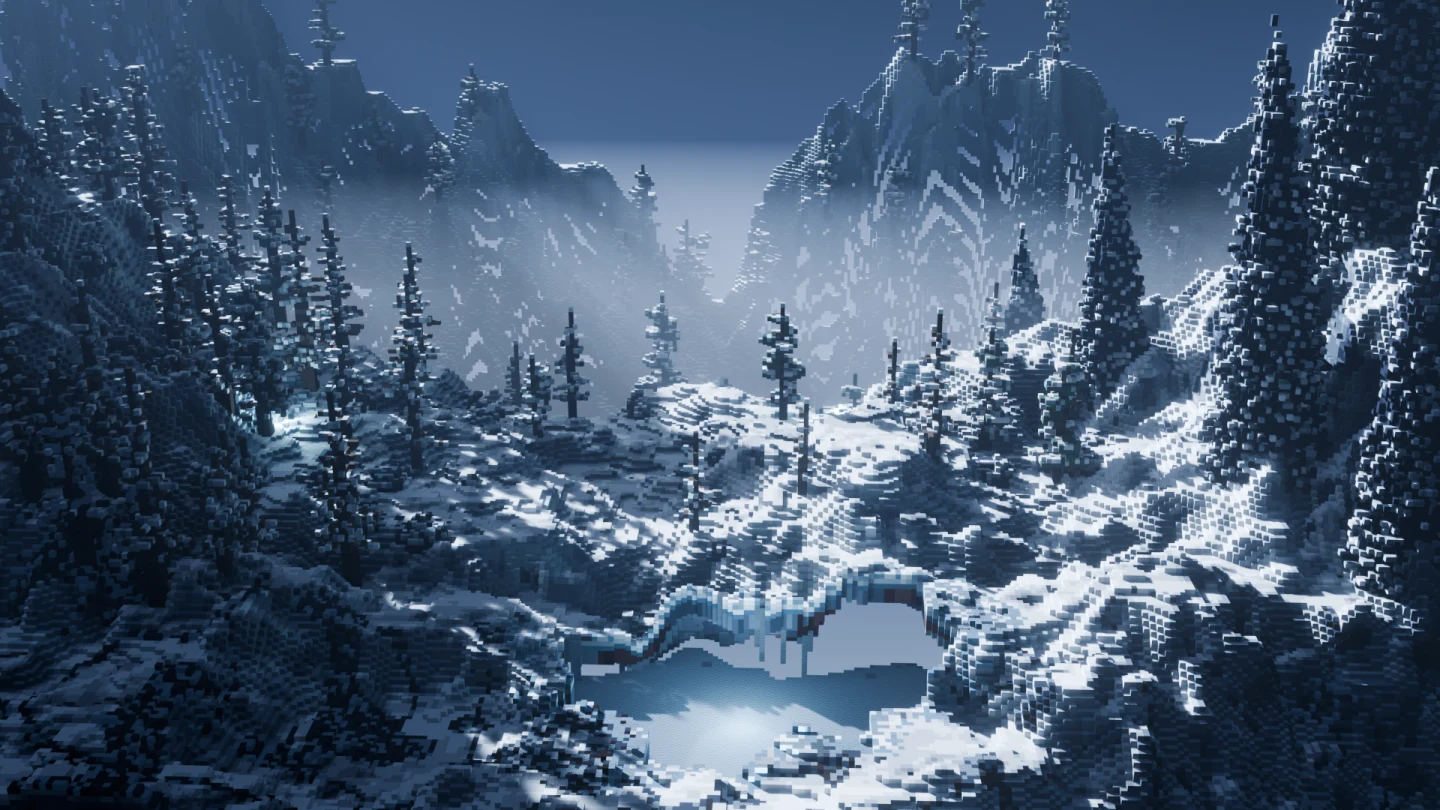
Winter Passage Rendered from the voxel document

Why this exists

Voxel art usually stops at a static mesh.

The modelling happens in one place and everything that actually ships happens somewhere else: the rig, the walk cycle, the atlas, the engine import. So the model crosses a file boundary early, and every change after that means crossing it again.

Voxel Mode puts the grid inside Blender as a real object in Blender's own Edit Mode. The armatures, the actions, the NLA and the exporters are already there and already know about it — which is why rigging and animating voxels stops being a separate project.

What it does

A modelling tool, not a viewer.

Six tools, five brush shapes, thirty-two generators — and everything downstream of them, up to the FBX your engine opens.

Model

Attach, erase and paint on a live grid, with a hover cursor that shows what the click will do before you make it. The brush shape is on 15: a single voxel, a whole face at once, a dragged box, a line, or a library shape used as the brush tip.

  • Grids to 1024³
  • Fill a whole face in one click
  • Mirror, axis locks and a plane lock

Select and move

A screen-space marquee, a magic wand for the connected piece, every voxel of one colour across the whole model, or a whole named part. Then move, rotate, scale, mirror or duplicate the selection — with a ghost of where it is going, and each landing as one undo step.

  • Select through the surface, X-ray style
  • Grow and shrink a selection
  • Drop a selection onto what is underneath it

Colour and surface

Every one of the 256 palette entries is its own material, not just a colour — roughness, metal, glow, glass and water all live on the swatch. Change an entry and the whole model recolours at once.

  • Water, ice and glass as one-click presets
  • 23 palettes ship
  • Repaint a finished model in one go

Rig and animate

Name the parts a model splits into and that list becomes the bone hierarchy. For a character, Prepare Rig walks you through it one body region at a time and fits the joints for you.

  • Rigid parts, or one skinned mesh
  • Foot IK, hand sockets, and 22 sample animations
  • A slime rig for squash and stretch

Watch it rig a minotaur →

Finish

Finalise To Mesh turns the grid into one finished mesh with a single atlas texture instead of 256 materials. And it runs backwards — a finished mesh reads back into an editable voxel model, exactly.

  • One atlas, plus ORM and emissive maps
  • Voxelize any mesh
  • Batch a whole folder of FBX

Ship it

Export presets that already know each engine's axis and scale conventions, with the animation included. Nothing here is a one-way door — a finished model still reads back into an editable grid.

  • Godot, Unity, Unreal, plain glTF
  • .vox in and out
  • Eight-direction sprite sheets with timing and pivot JSON
  • A live link to a running Unreal project
Characters

From a library shape to a running character in a minute.

Prepare Rig takes you through a biped one body part at a time. Drag over the head, the chest, one arm and one leg; the other side mirrors itself. It fits the joints, lets you check an elbow and a knee bend, and builds the rig. Four-legged animals get the same guided rig, with the body parts suggested for you. Thirty-six sample animations get you started, keyed sparsely so you can still edit them.

The shipped Minotaur, rigged in Blender The real interface · 33 s · no cuts in the rig
  1. 01 Pick a character Any biped or animal from Shapes › Characters, or your own model: a T-pose, or four legs on the ground.
  2. 02 Name the parts Ten box selections, with a body diagram showing which part is next. Arms and legs mirror.
  3. 03 Check the bends Preview an elbow bend and a knee lift. If a joint bends in the wrong place, drag it.
  4. 04 Animate Walk, Run, Idle, Jump and eighteen more; Trot, Gallop, Graze and eleven more on four legs. Foot IK, ordinary Blender Actions.
Minotaur, Wizard, Athlete, Android Four library shapes · sample clips, unedited · EEVEE

The parts stay voxels

Each body part moves with its bone as a solid piece, so a run never stretches a cube. You can also switch to Strict Grid, which rebuilds every frame on the voxel grid. That suits a game where everything has to stay aligned to the grid.

  • Rigid parts, or one skinned mesh for Unreal, Unity and Godot
  • The takes go out with the export presets
  • Attach a weapon or shield to either hand
  • A separate slime rig with squash and stretch, and eleven clips of its own

Four legs, too

Pick Quadruped and the wizard turns the animal to face forward, then suggests every body part from its four legs up: hooves, knees, hips, neck, head and tail. You check each part and fix the odd voxel, preview a leg lift and a lowered head, and create the rig.

  • Eleven library animals are ready to animate: Create Character, then Create Rig
  • Walk, Trot, Gallop, Jump, Idle, Graze, Sit, Lie Down, Howl, Bite, Rear Up, Buck, Hit and Death
  • Foot IK on all four legs, with the knees bending the right way
  • The same export presets and sprite sheets as a biped
Horse, Wolf, Pig, Deer Library animals · Create Character · sample clips, unedited

Update every N frames

Set Update Every N Frames and each pose is held for that many frames: the stepped look of animation on twos and threes, and of classic pixel-art sprites. Your keys stay as they are. The preview, the bake, the FBX export and the sprite sheets all follow the setting, and animation.json records it.

Update Every 1 A new pose every frame · smooth
Update Every 3 Each pose held for 3 frames · stepped

Sprite sheets for 2D games

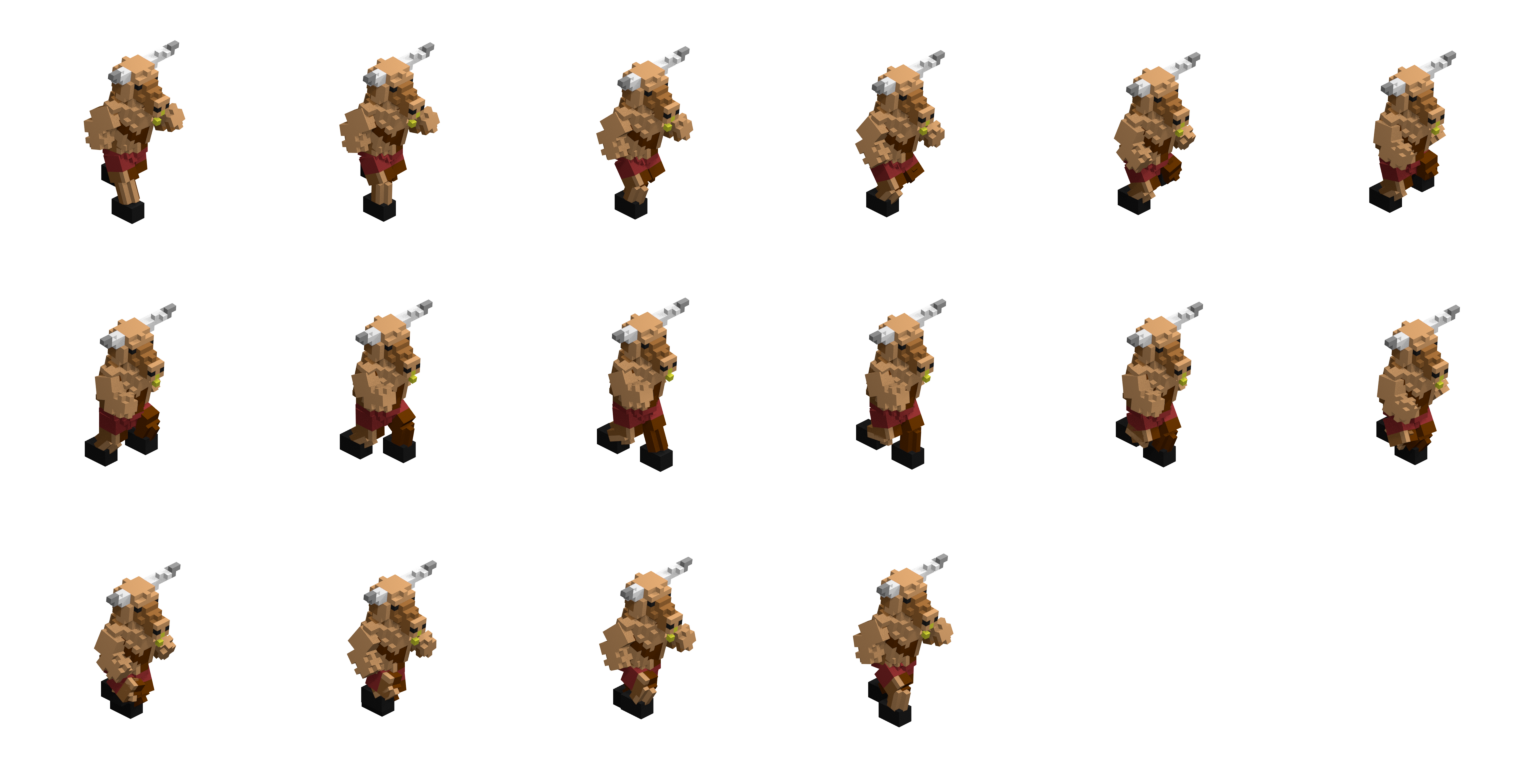
Export Sprite Sheets renders the selected animation from eight directions, at a frame size from 64 to 512 px and a camera angle from level (true front, back and side views, for side-scrollers) to top-down. It writes one PNG sheet per direction, plus an animation.json with the frame size, fps, loop flag and each frame's rectangle. It also gives the ground point under the character's feet for every view. The player below reads those files as they were exported, without changes.

Run · SE · 30° · 256 px · 16 frames · 24 fps

Character

Animation

Camera

Direction

S faces you, N faces away, E and W are the side views.

The Run sprite sheet for one direction: sixteen 256 by 256 frames of the Minotaur, six to a row, on a transparent background.
angled/run/view_01.png · the exported sheet, 256 × 256 frames, six to a row

Generators

Thirty-two generators, for the parts you would rather not place by hand.

Ground, plants, buildings, whole worlds - and one that builds an entire scene in a single press. Open any of them to see what it makes.

Ground and water

TerrainRolling ground from noise, placed peaks, or a heightmap image.
Terrain, as the generator makes it
RocksBoulders - one hero rock, or a field of them over the surface.
Rocks, as the generator makes it
RiverA river carved across the ground from one side to the other.
River, as the generator makes it
Paths & FieldsWorn tracks joining points on the ground, or a patchwork of fields.
Paths and Fields, as the generator makes it
Water LevelFlood every empty space below a waterline - sea, lakes and puddles.
Water Level, as the generator makes it
CavesTunnels and caverns carved under the surface - or a cave block cut from solid rock.
Caves, as the generator makes it
Sky IslandsFloating islands with grassy tops, rocky undersides and waterfalls.
Sky Islands, as the generator makes it
CratersImpact bowls with raised rims and dark ejecta.
Craters, as the generator makes it
CloudsA layer of cloud from 3D noise, with flat bases and ragged tops.
Clouds, as the generator makes it

Growing things

TreesBranching trees, standing on whatever surface the model already has.
Trees, as the generator makes it
ScatterPlant library shapes over the model - trees, rocks, flowers, props.
Scatter, as the generator makes it
VinesGrowth that clings to the model - hanging from ledges, climbing the walls, or creeping over the ground.
Vines, as the generator makes it
CrystalsClusters of pointed crystals growing from floors, walls and ceilings.
Crystals, as the generator makes it
Ore VeinsSeams of ore colour threaded through the rock.
Ore Veins, as the generator makes it
CoralBranching, brain, fan and tube coral and kelp on the seabed.
Coral, as the generator makes it

Things people built

BuildingsHouses, a whole village, a castle or a pier, standing on the ground.
Buildings, as the generator makes it
CityA street grid of towers, offices and houses on a levelled site.
City, as the generator makes it
MonumentsPyramids, temples, pagodas, stone circles, obelisks and rock arches.
Monuments, as the generator makes it
BridgeA bridge over the narrowest gap it can find - stone, wood, rope or a moon bridge.
Bridge, as the generator makes it
Walls & FencesA castle wall, field wall, palisade, fence or hedge round the model.
Walls and Fences, as the generator makes it
DungeonRooms and the corridors between them, with walls and a floor.
Dungeon, as the generator makes it
MazeCorridors and walls: a perfect maze, or a braided one with loops.
Maze, as the generator makes it
ShipA galleon, sloop or rowboat afloat on the water, or wrecked below it.
Ship, as the generator makes it
DamageKnock bites out of walls, crumble their tops and pit the surface - a ruin from a building.
Damage, as the generator makes it

Whole worlds

PlanetA round world with continents, seas and ice caps.
Planet, as the generator makes it
AsteroidsLumpy rocks adrift in the whole model, or a belt of them.
Asteroids, as the generator makes it
SceneA whole scene in one press - ground, rocks, trees, weathering, water and sky, from a preset.
Scene, as the generator makes it

Paint on what is there

WeatheringSnow on the tops, moss on the shaded sides and grime in the crevices.
Weathering, as the generator makes it
Surface PatternBricks, tiles, checker and weave, painted over the model you have.
Surface Pattern, as the generator makes it
Colour RandomiserRepaint the voxels already there from a weighted set of palette colours.
Colour Randomiser, as the generator makes it
Colour GradientRepaint the voxels already there along a ramp between two palette colours.
Colour Gradient, as the generator makes it

From a picture

PictureTurn an image into voxels: a flat picture, or a solid carved from front, side and top views.
Picture, as the generator makes it

Made with it

Every picture below is a voxel document.

Not concept art, and not a mesh that used to be voxels — these are live grids, rendered in Blender with the add-on's own per-index materials doing the water, the glass and the glow.

Mirefall 360° turntable · 520 × 470 × 344 · eight documents · 2.2M voxels
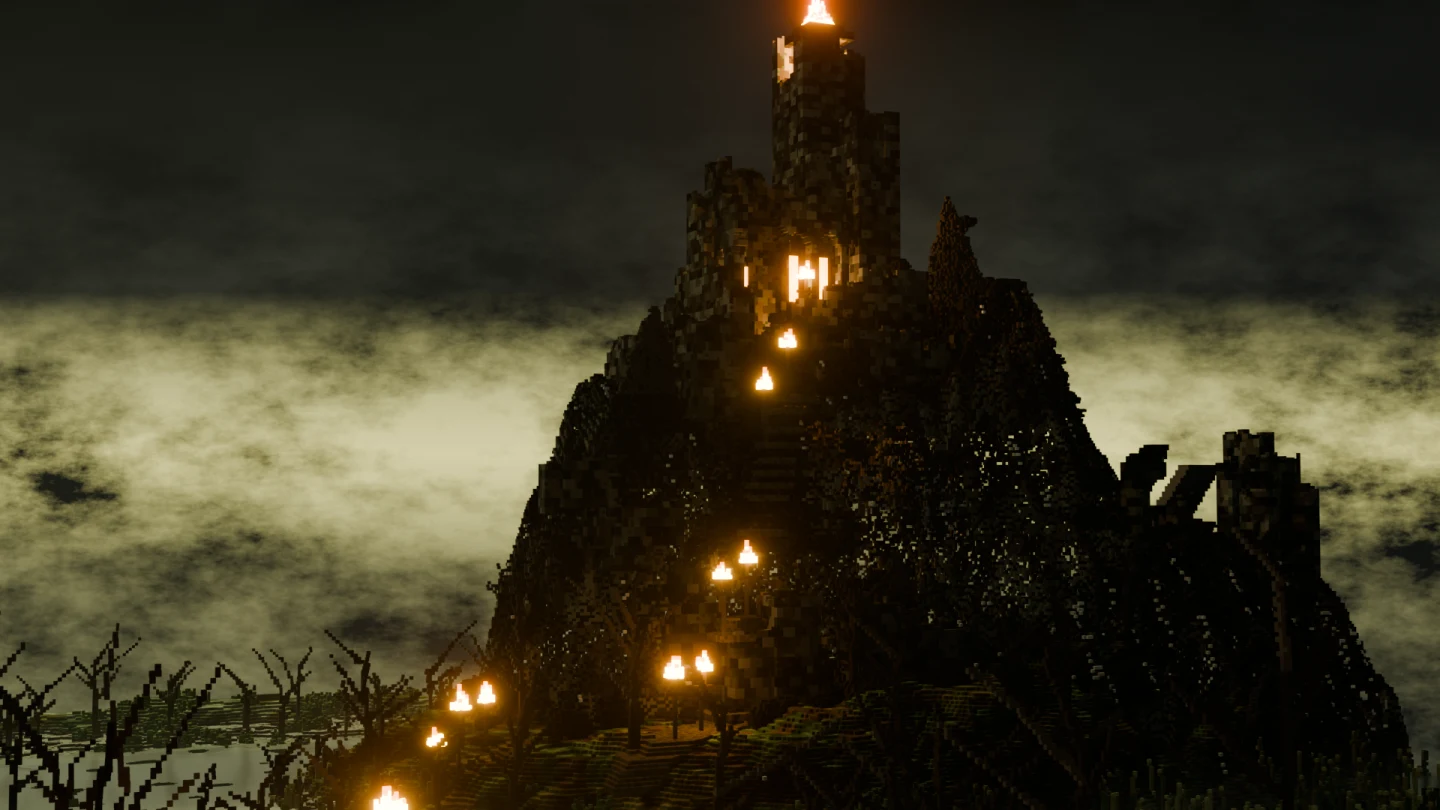
A burnt voxel fortress on a rock outcrop, lit by fires, above a drowned marsh at dusk.
Mirefall
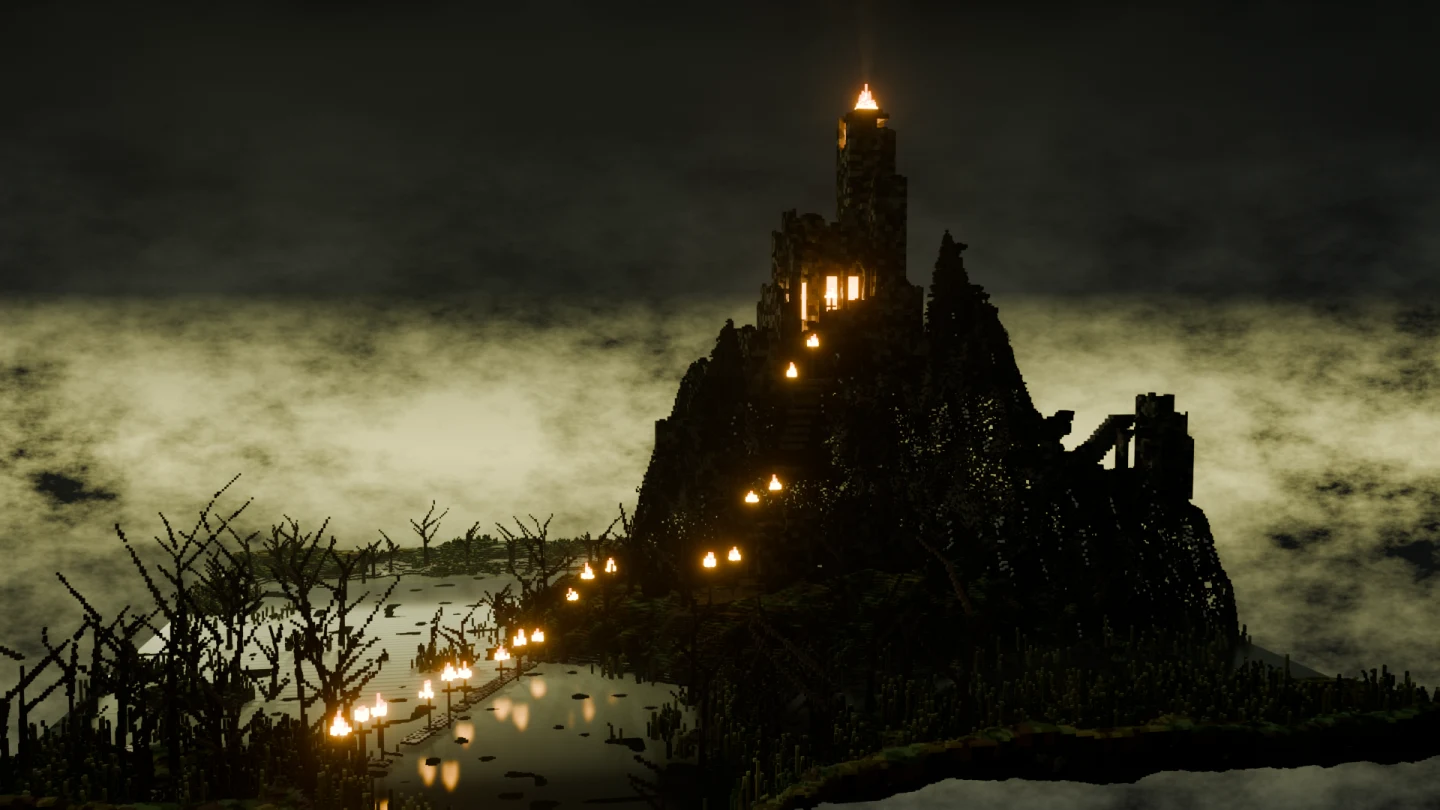
A wider view of the drowned marsh, with reeds and dead wood in the foreground.
Mirefall
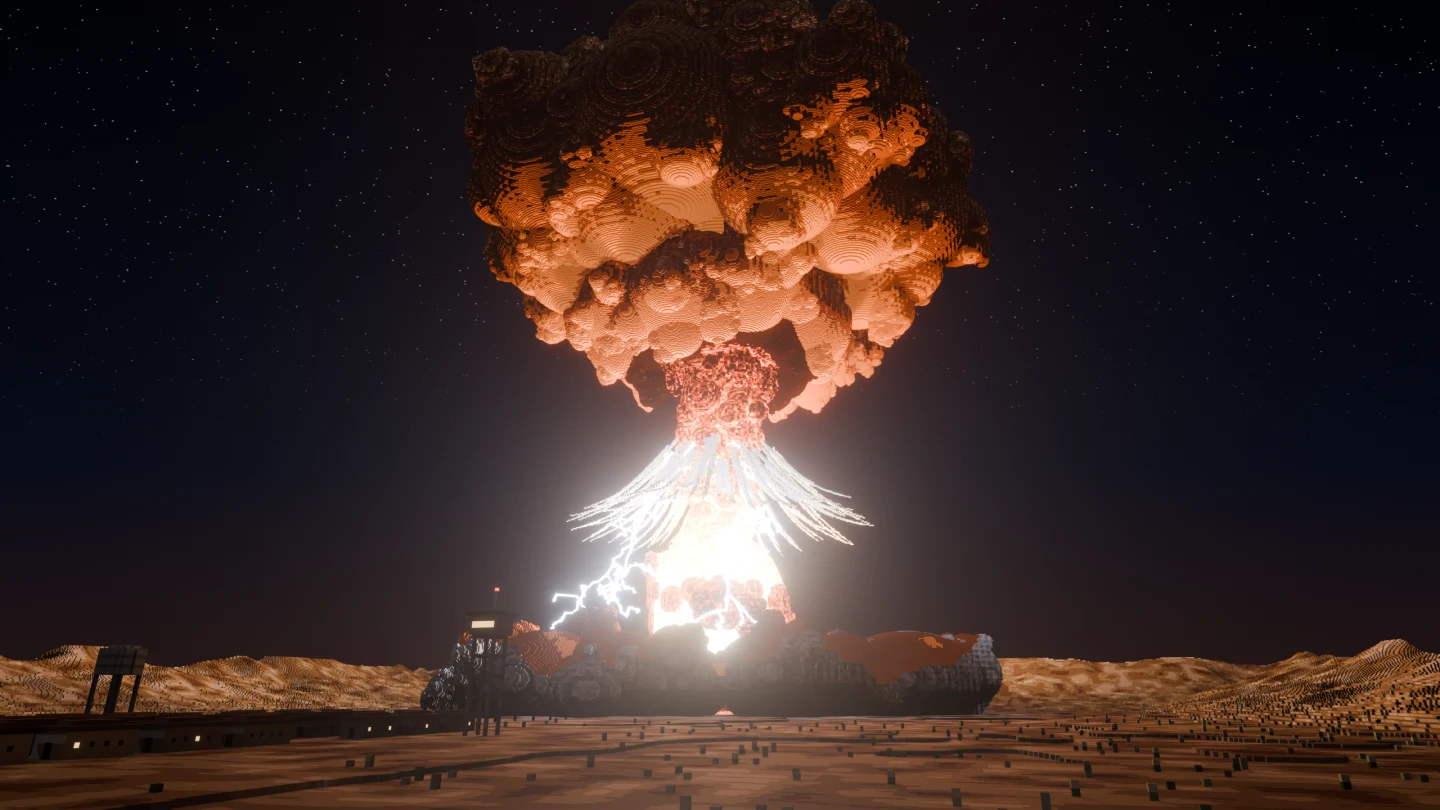
Ground Zero Sweep · 1024 × 1024 desert at 1.75 m · eight documents · 4.8M voxels
Amberleaf Hut 360° turntable
Sea-Stack Citadel 360° turntable
Moonlit Crypt Sweep
A night-time voxel mountain pass under snow, with dead pines and a frozen stream.
Winter Passage
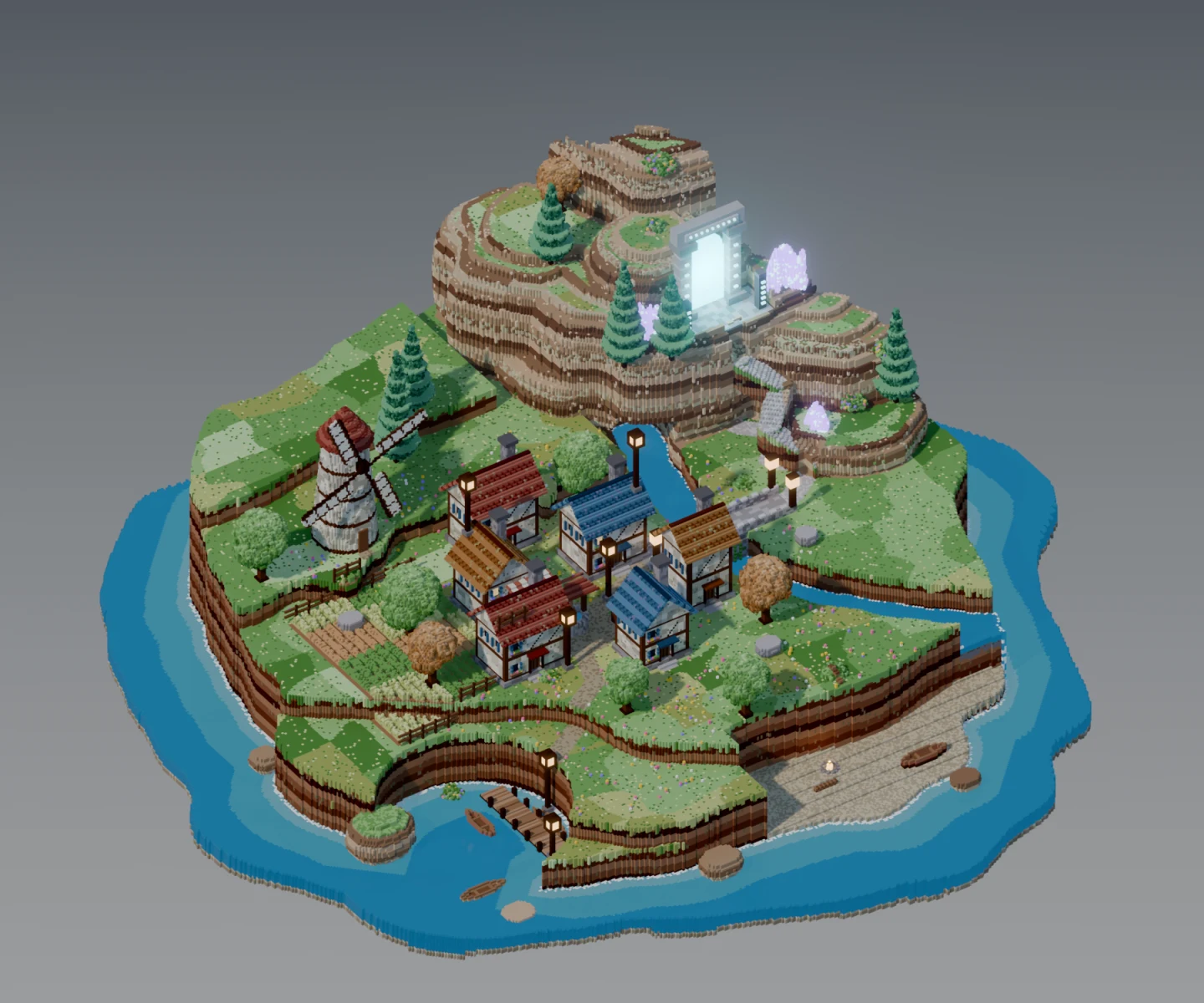
A voxel island village with painted shallows.
Hollowmere
A golden voxel treasure vault.
Gilded Vault
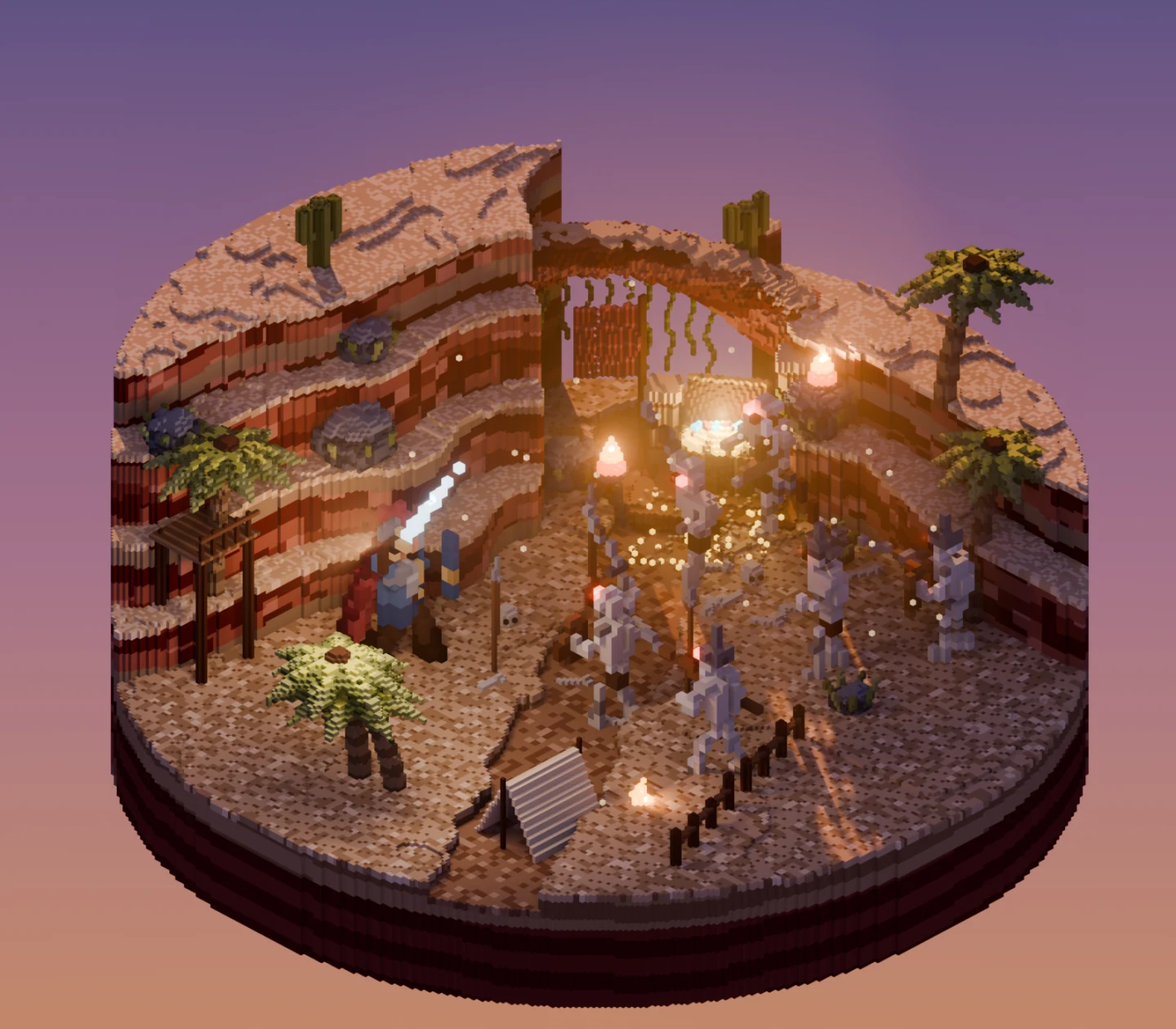
A voxel desert canyon with a hero facing skeletons.
Canyon Standoff
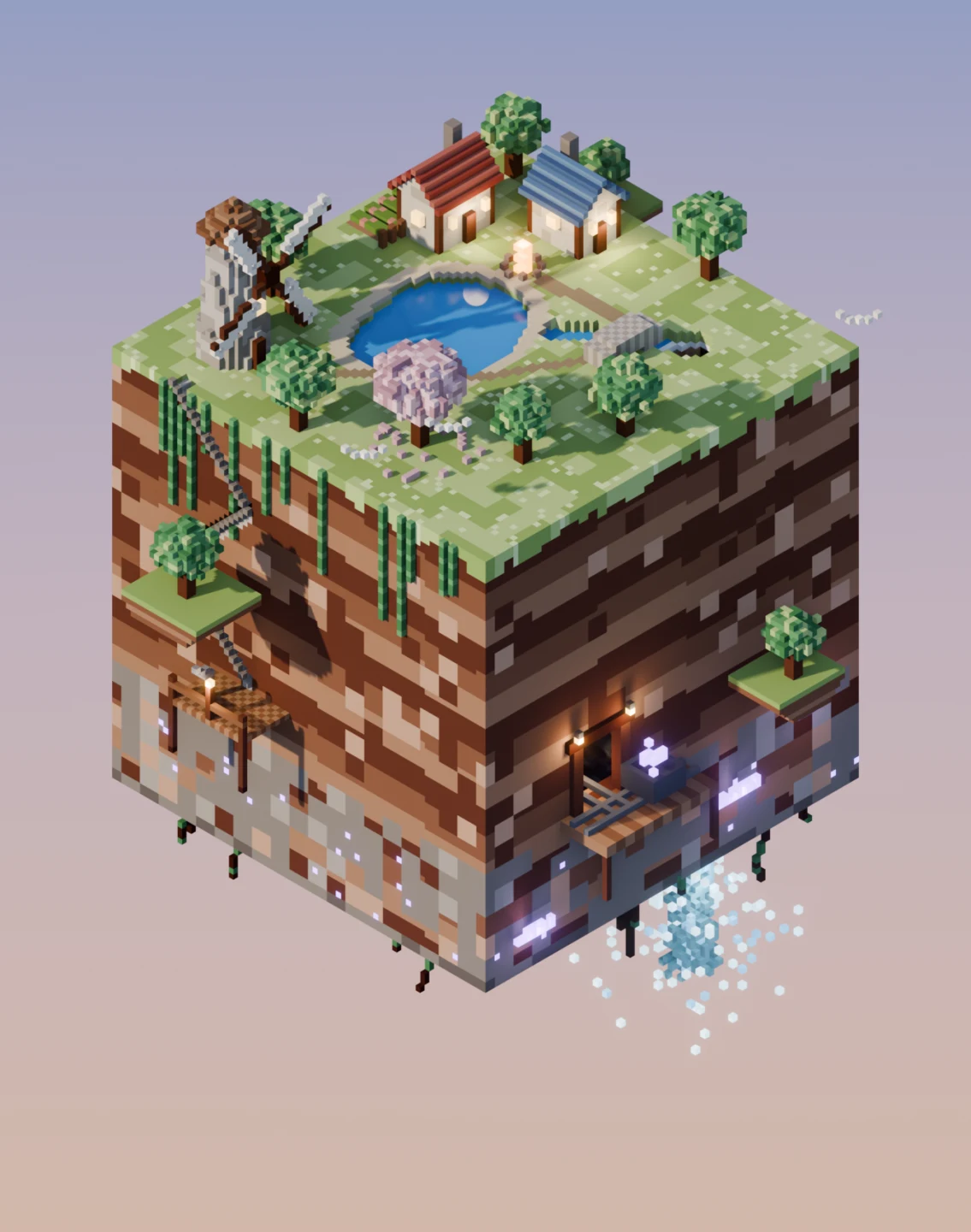
A low-poly floating voxel cube world.
Cube Kingdom
A snowy voxel chapel in tilt-shift.
Winter Chapel
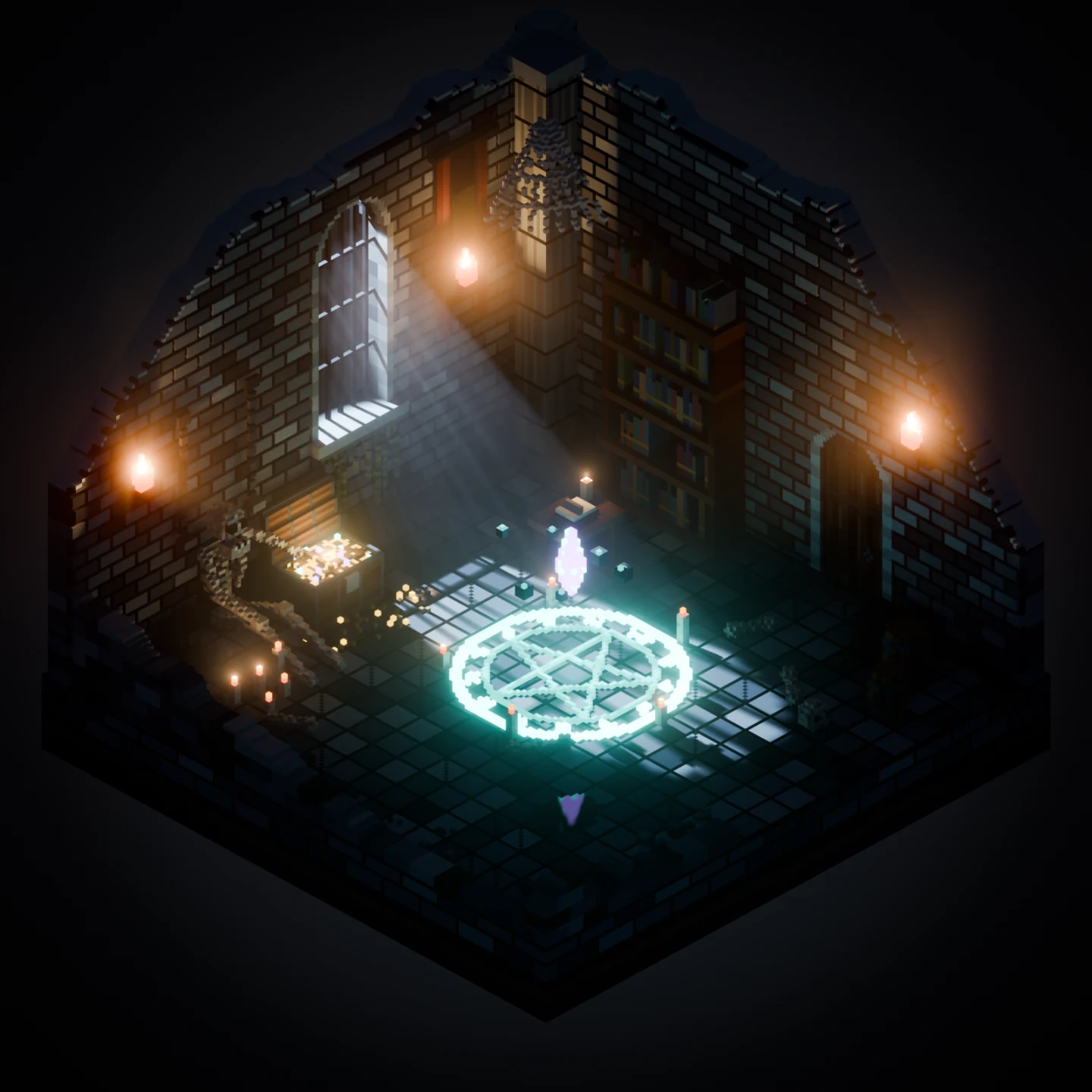
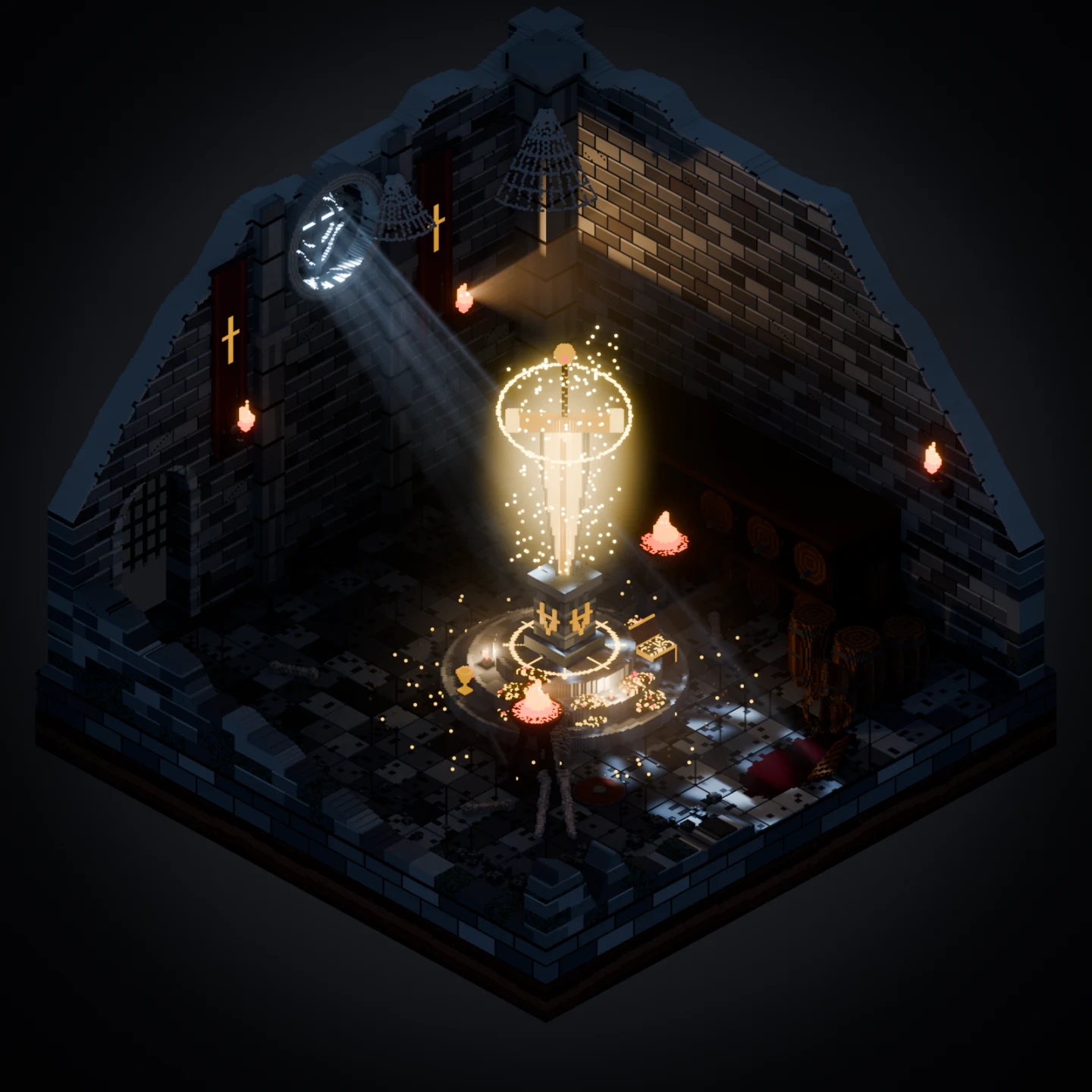
A moonlit voxel crypt interior with a glowing summoning circle.
Moonlit Crypt
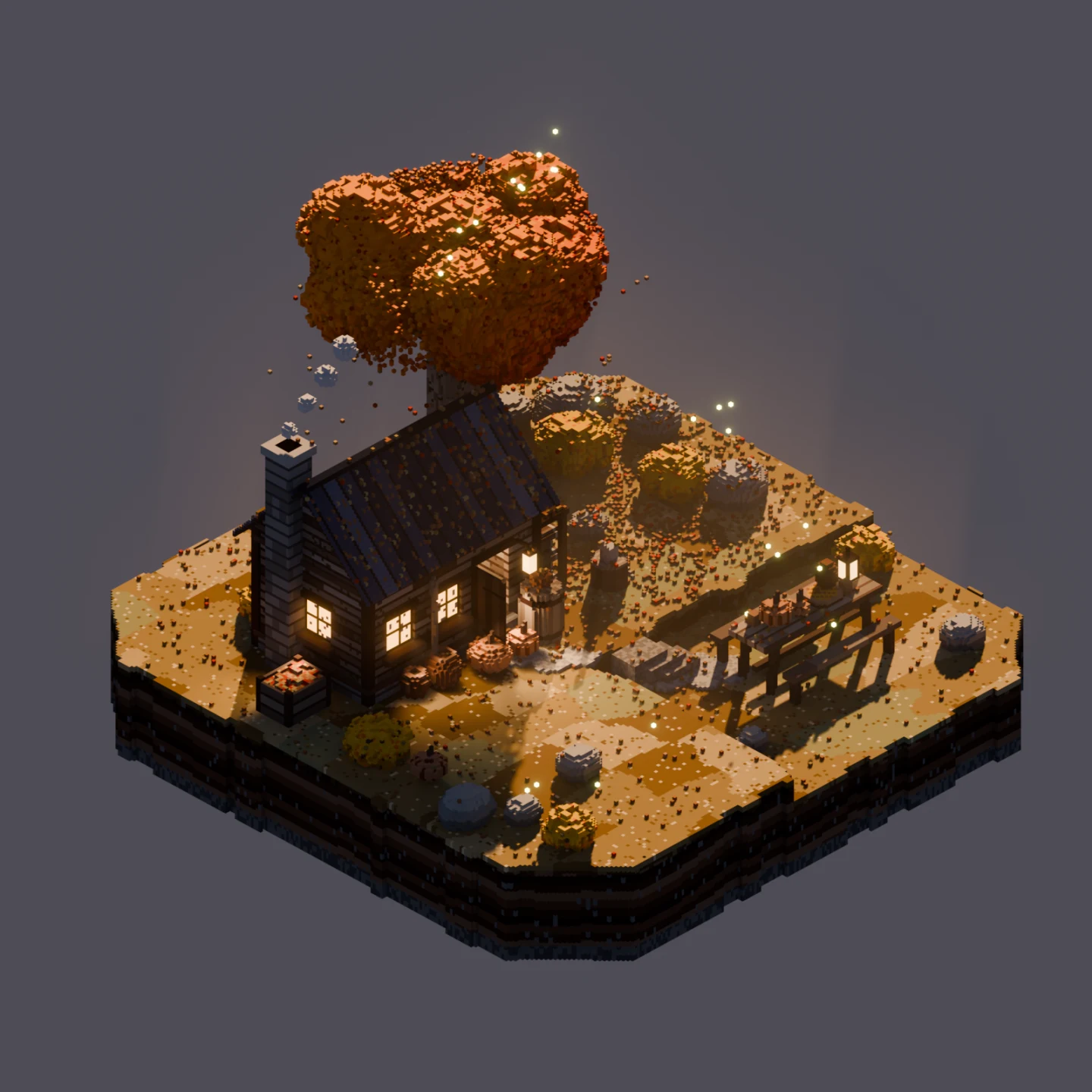
An autumn voxel cabin at dusk with lantern light.
Amberleaf Hut
A voxel mushroom cloud lit by its own fireball and lightning over a night desert.
Ground Zero
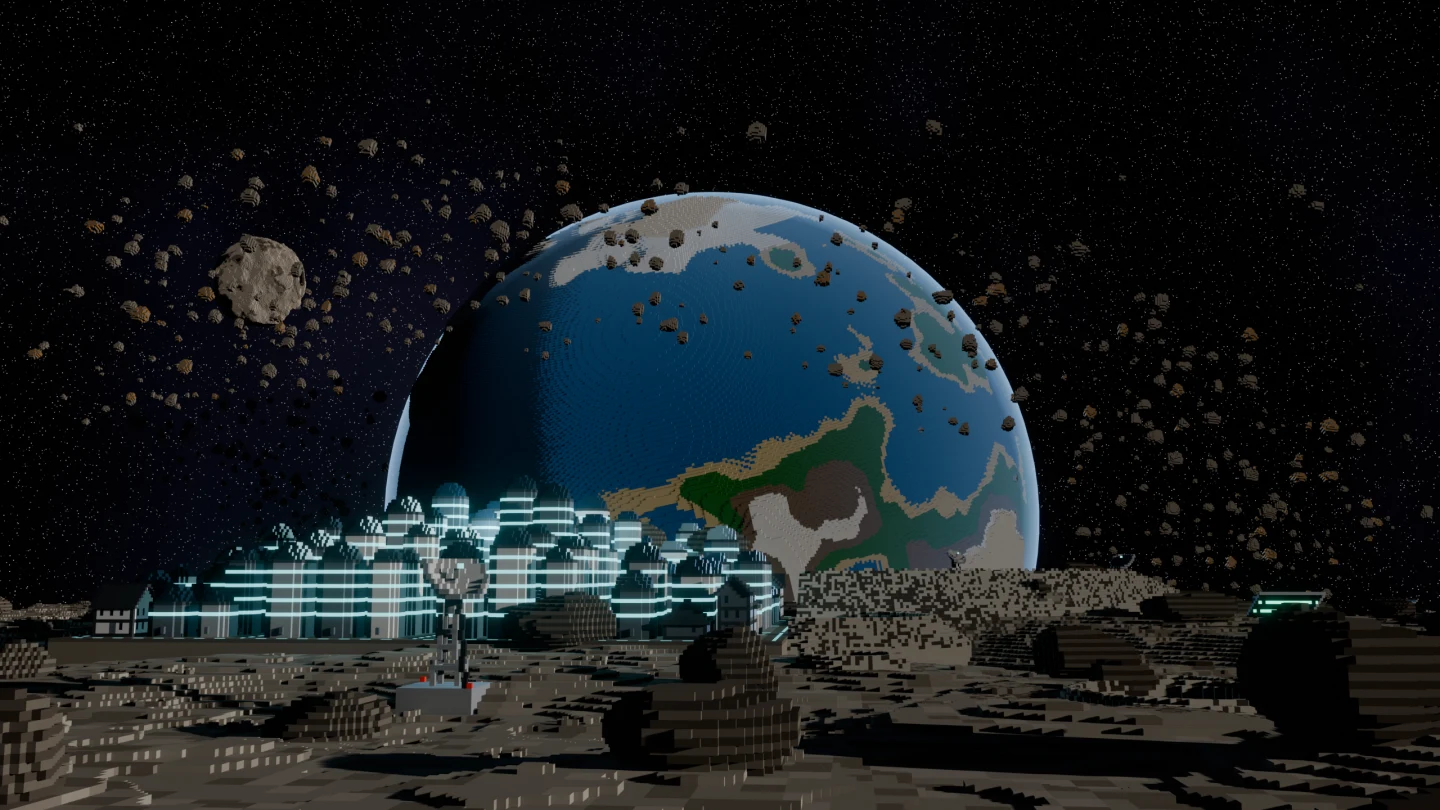
A blue voxel planet rising over a cratered moon, with a glowing outpost on the surface.
Planetrise
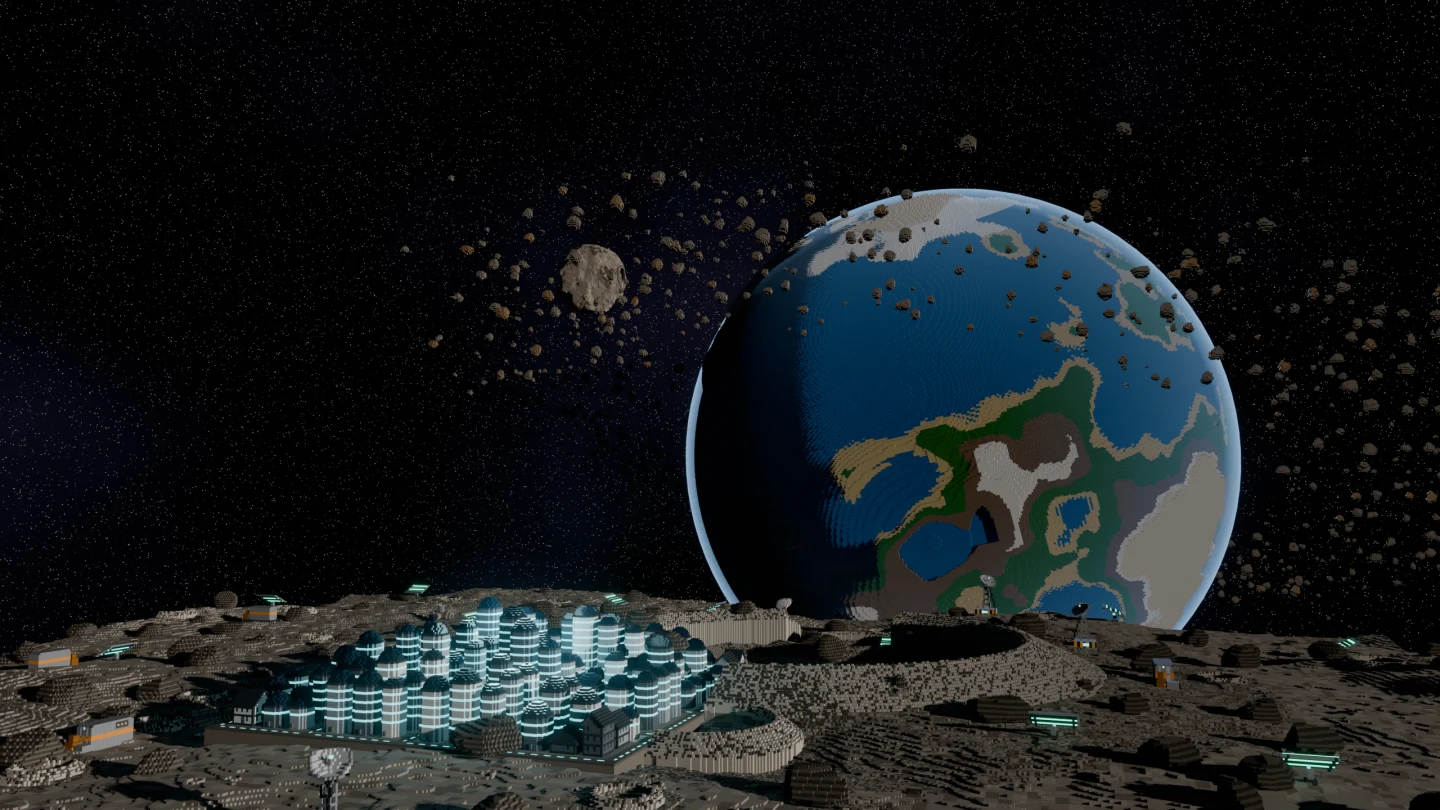
A wider view of the voxel moon outpost, the asteroid ring and the planet behind it.
Planetrise
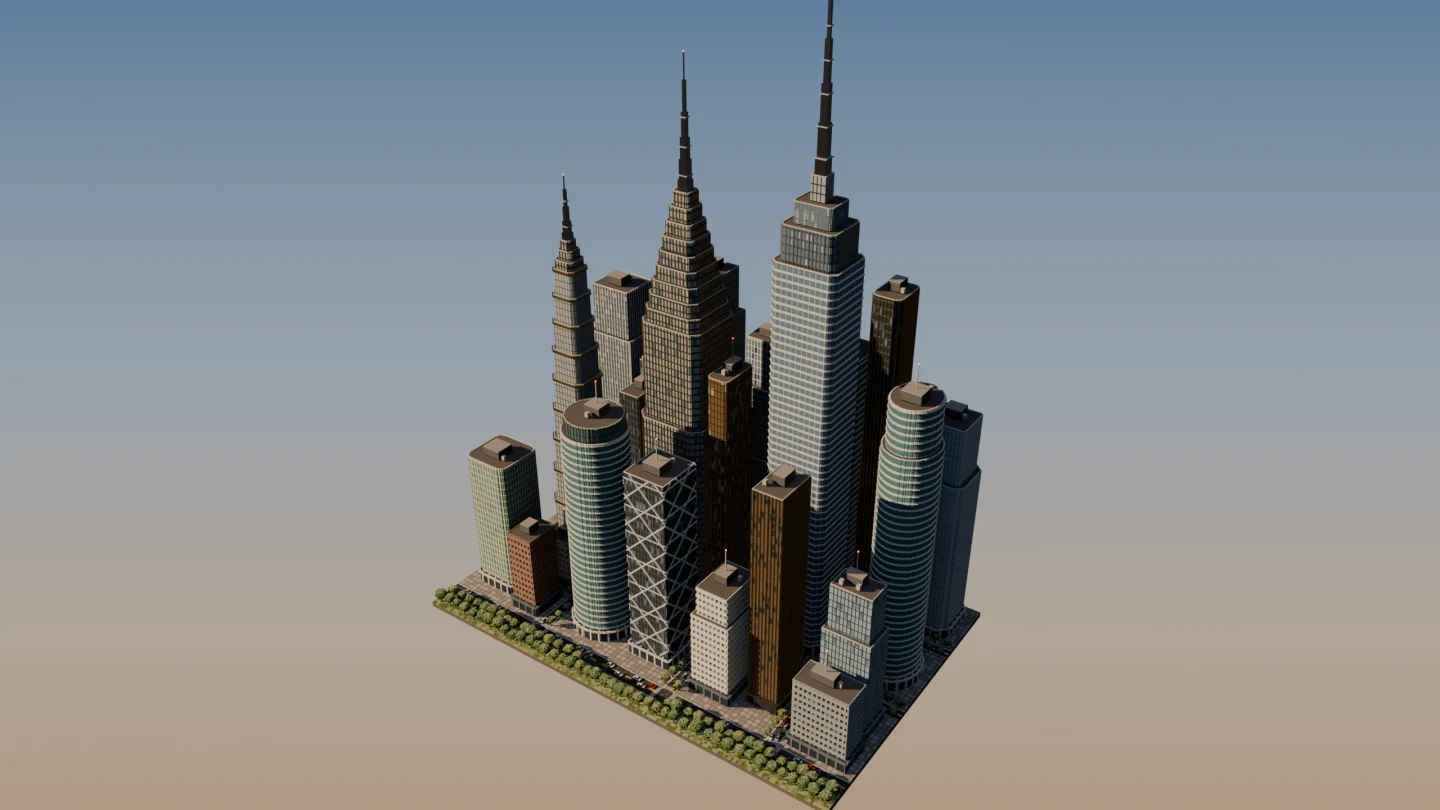
An aerial view of a voxel downtown of skyscrapers on a floating city block at golden hour.
Meridian Skyline
Planetrise Drift · 256 m of moon at 25 cm · four documents · 21.3M voxels · built entirely by the generators
Sunlit Cavern Journey · 76 m of cave at 0.1 m, chest at 0.025 m · seven documents · 10.4M voxels

Into the engine

A playable level, at game scale.

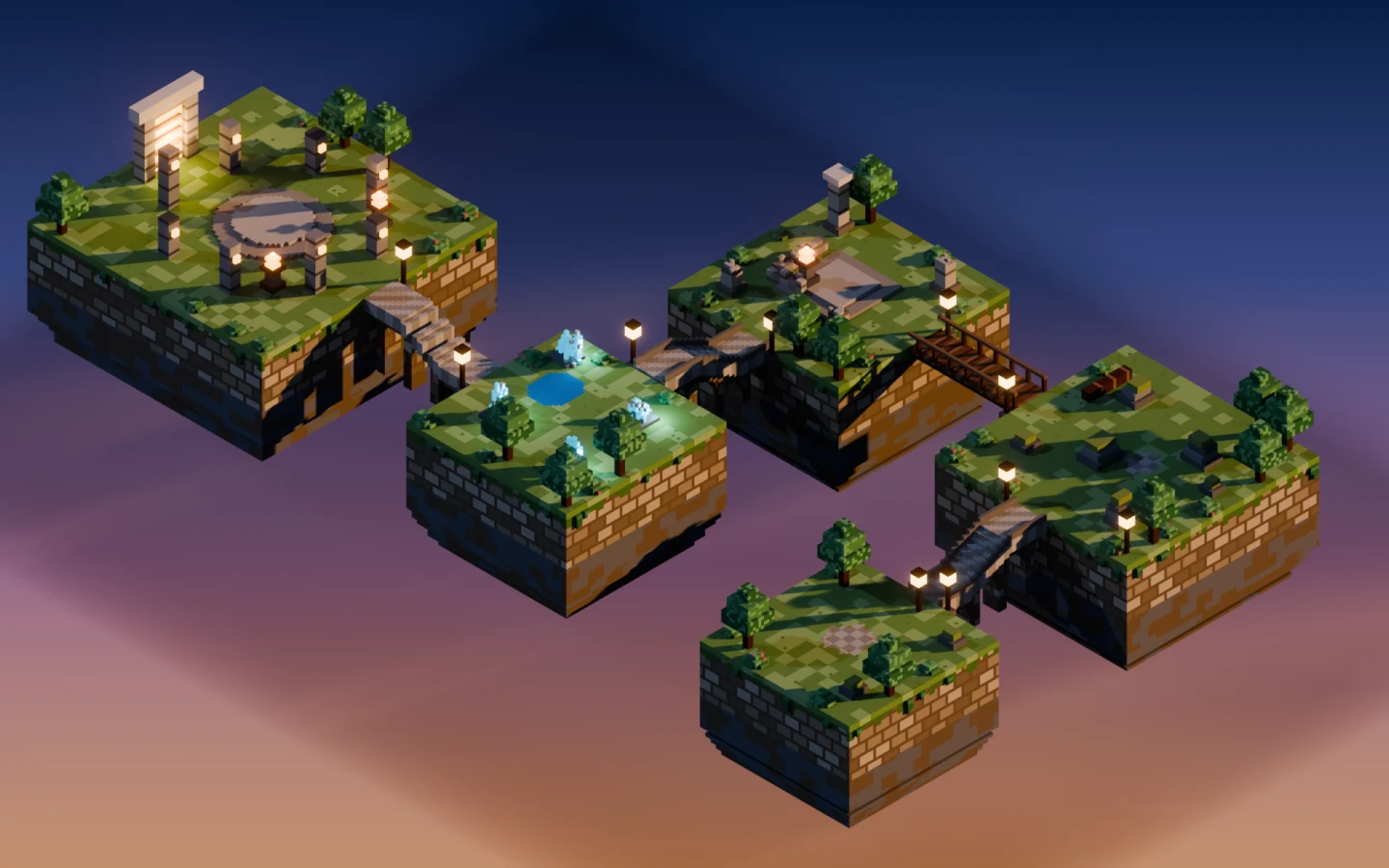
Five floating arenas joined by walkways, modelled in Voxel Mode and imported into Unreal as static meshes. This is the claim the whole pitch rests on, so here are the numbers rather than an adjective.

An overview of five floating voxel combat arenas joined by walkways.
Skyward TrialsFive arenas and four connecting paths, imported into Unreal as static meshes.
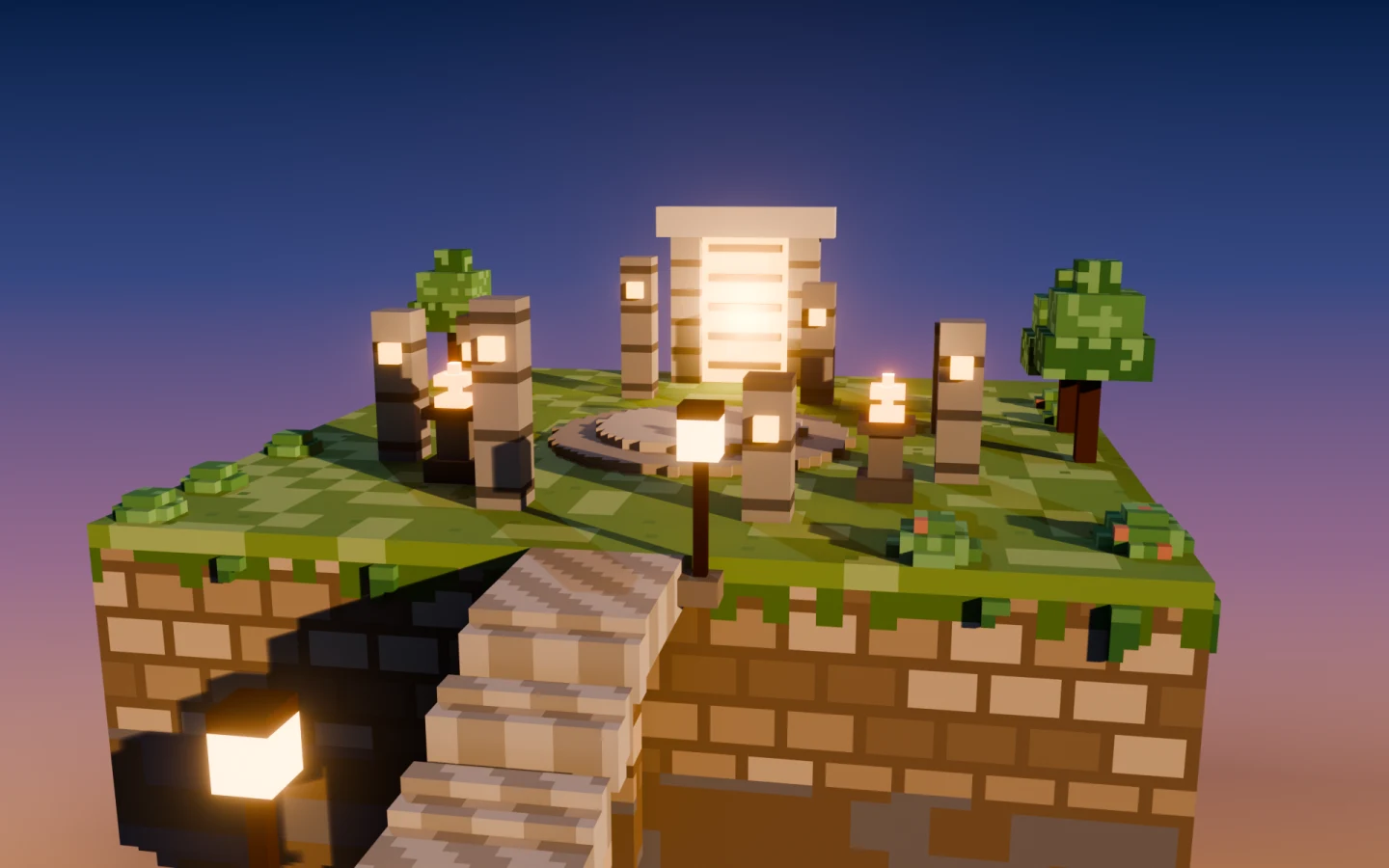
A close view of a voxel arena with crystal cover and a pond.
Crystal HollowGlowing voxels arrive in the engine as the atlas emissive map.
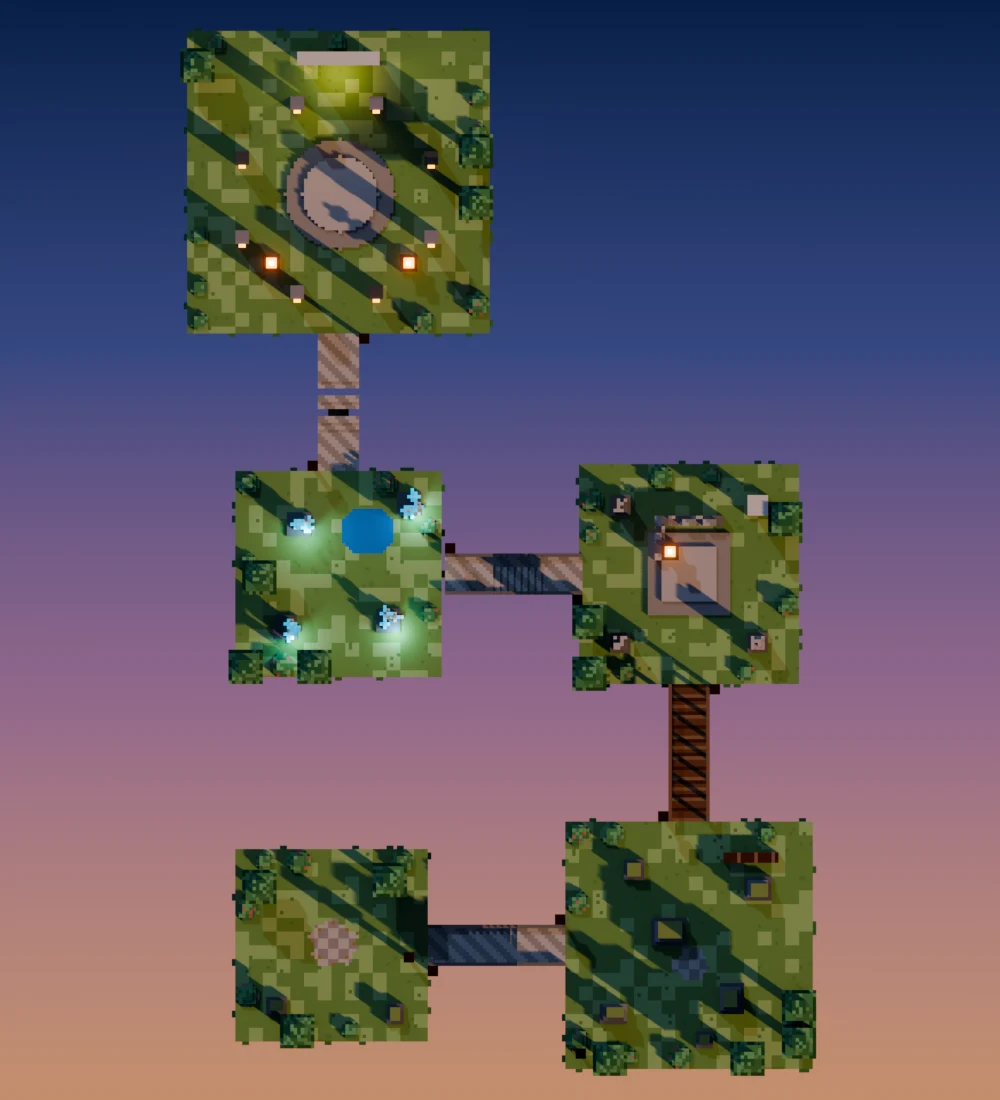
A top-down layout map of the five arenas.
Layout1 voxel = 25 cm. Every stair riser is 25 cm, under Unreal's default 45 cm step height.
In the engineWhat ships
Triangles, whole level68.5 kGreedy-merged faces, nine pieces
Voxel scale25 cmWalkways 3 m wide, cover 1–2 m tall
CollisionUCX hullsPer piece, in the same FBX
Textures3 mapsOne atlas: base colour, ORM, emissive
Materials per mesh1Instead of one per palette index

The library

1,001 shapes, in the box.

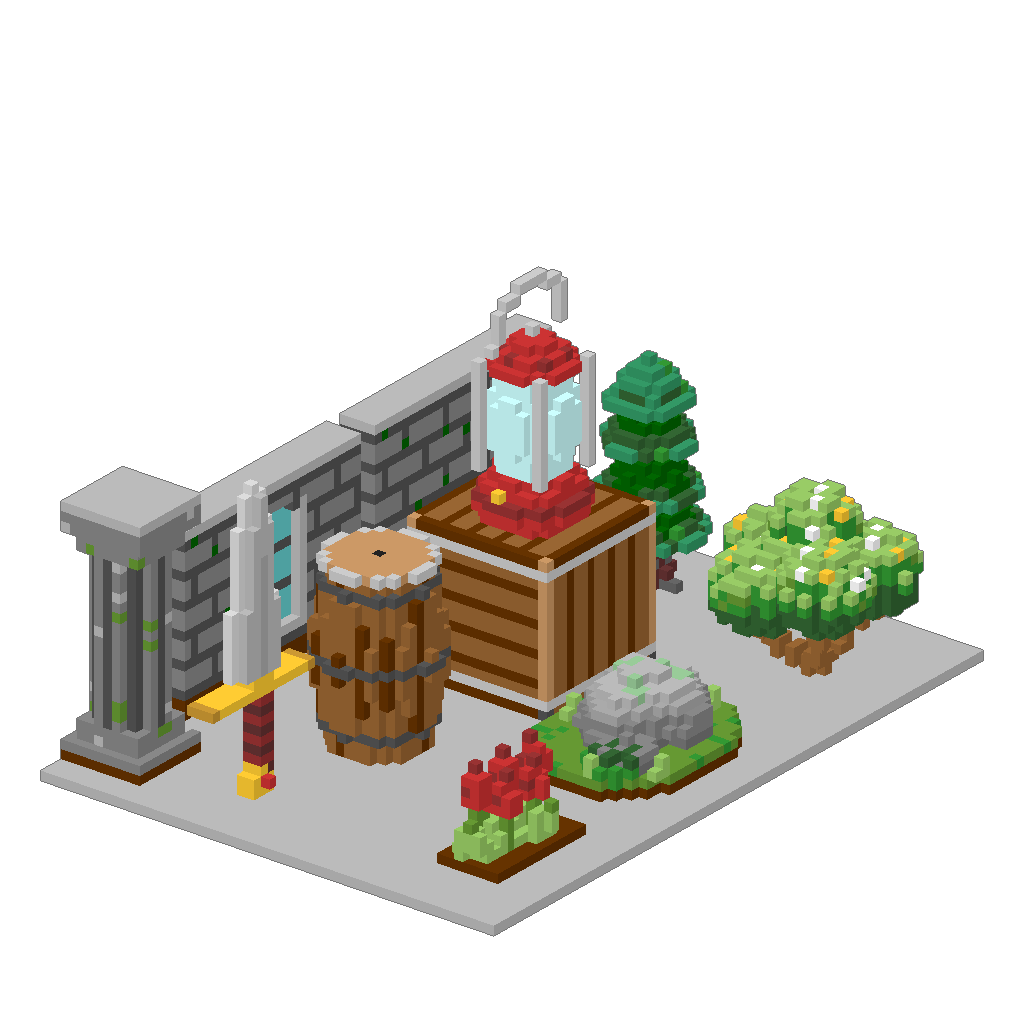
19 categories across 85 pages, browsable as a real Blender asset library docked in the viewport. 68 of them are double-resolution hero pieces at 64³ — creatures, structures, dungeon set-pieces. Any of them can be a brush tip, or scattered over a surface by the generator.

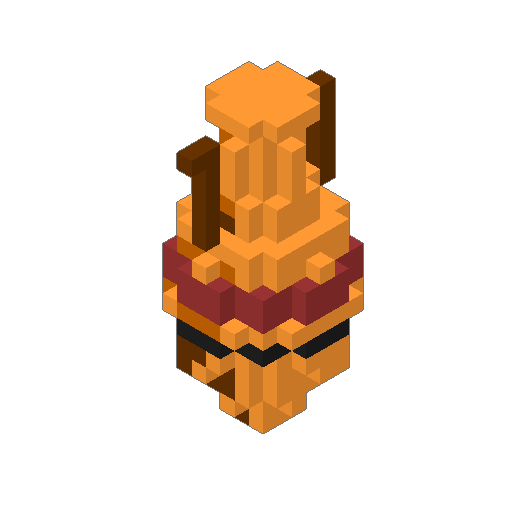
A voxel diorama: a stone wall, a lantern on a crate, a barrel, a pine tree, a boulder and a sword, all built from shapes that ship with the add-on.

Turn one around

Real shape files, drawn in the browser as real cubes — drag sideways to spin, up and down to tilt.

Loading

Correct anything, including ours
Open a shipped shape as an editable model, fix what you do not like, and save it back over the original. Nothing in the library is read-only.
Hand the collection over

Shape packs import and export as a .zip that keeps the whole category tree, so a studio library travels between machines in one file.

Two example scenes

A .blend with every shipped shape as its own model, and a water scene with the palette entries that make water look like water.

The round trip

Nothing has to leave the file.

  1. 01 Bring it in Open a .vox file, voxelize a mesh, generate a terrain, or start from an empty grid.
  2. 02 Model Blender's own Edit Mode, with voxel brushes instead of vertices.
  3. 03 Rig & animate Blender's armatures and actions, on the model you just built.
  4. 04 Ship it Godot, Unity, Unreal or glTF — with the takes, atlased and engine-ready.

And every step runs backwards. A finalised mesh reads into a model again, and a model writes back out as .vox — so finishing is not a decision you have to get right first time.

Speed

It has to stay fast at 1024³.

A drag on a big model costs what a drag on a small one costs. These numbers come from the add-on's own performance suite.

OperationTimeAt what size
Ray cast — what is under the cursor0.02 ms1024³, through air
Marquee rectangle, per mouse move0.72 ms256³
Flush the chunks a stroke touched4.6 ms1024³
Shape-brush preview over a 200-voxel drag9.8 ms256³
Rebuild the dirty chunks26 ms1024³, after a 1M-voxel edit
Connected select across a whole shell79 ms256³, 130,816 voxels
Apply a 1,000,000-voxel stamp354 ms1024³
Generate terrain over the whole grid1.1 s1024³, 4.19M voxels

Speed is where an interactive voxel editor usually falls over, so the numbers are on the page rather than in a footnote. There is a Benchmark button in the sidebar; run it on your own model.

Pricing

One price. Every feature.

No feature tiers among the paid builds, no add-on packs, no subscription. The only thing that scales is how many people are using it.

Free

$0 coming soon

The core modelling tools, on Blender's own extensions platform.

  • Draw, erase, paint and select voxels
  • The 256-colour palette
  • .vox import
  • Exactly what else goes in it is still being settled
extensions.blender.org

Creator

$29 one-off

Everything, for one person.

  • Every tool and every generator
  • Every export preset, with animation
  • All 1,001 shapes
  • 12 months of updates
Buy on Superhive

Studio

$99 one-off

Identical, for a team of five.

  • Everything in Creator
  • Five seats, one invoice
  • Commercial terms
  • 12 months of updates
Buy on Superhive

Questions

Before you buy.

Which Blender versions does it work with?

4.2 and newer. It is developed and tested against 5.1.

What is in the free build?

The core of the modelling tools, free on extensions.blender.org. The exact split is still being decided, so rather than promise a list that might change: the paid build is the one with the generators, the rigging and animation flow, the engine export presets and the shape library.

Can I bring in models I already have?

Yes, three ways. Open a .vox file; voxelize any mesh, including a marching-cubes path for smooth input; or point the batch converter at a folder of FBX and leave it running.

Does it really do animation?

Yes, and with Blender's own armatures and actions rather than a parallel system. Split a model into parts, build a rig from them, and the export presets carry the takes out to your engine. For characters there is a guided flow that fits the joints for you, 22 sample animations to start from, and a sprite-sheet export for 2D games. There is a recording of the whole thing above.

What is the licence?

GPL-3.0-or-later, because anything built on bpy is a derivative work. The add-on's source ships inside the download — there is no obfuscation and no licence key. What you are paying for is the build, the shape library, and the updates.

How big can a model be?

Up to 1024³ — 64 times the volume of a 256³ grid. The grid is chunked, so only what you touched is rebuilt; see the numbers above.

Can I use it commercially?

Yes, on both paid tiers, and that includes everything you make with the shape library. The GPL covers the add-on's code, not your models.

Build voxels where you already animate.

One Blender add-on, from the first voxel to the engine import.